
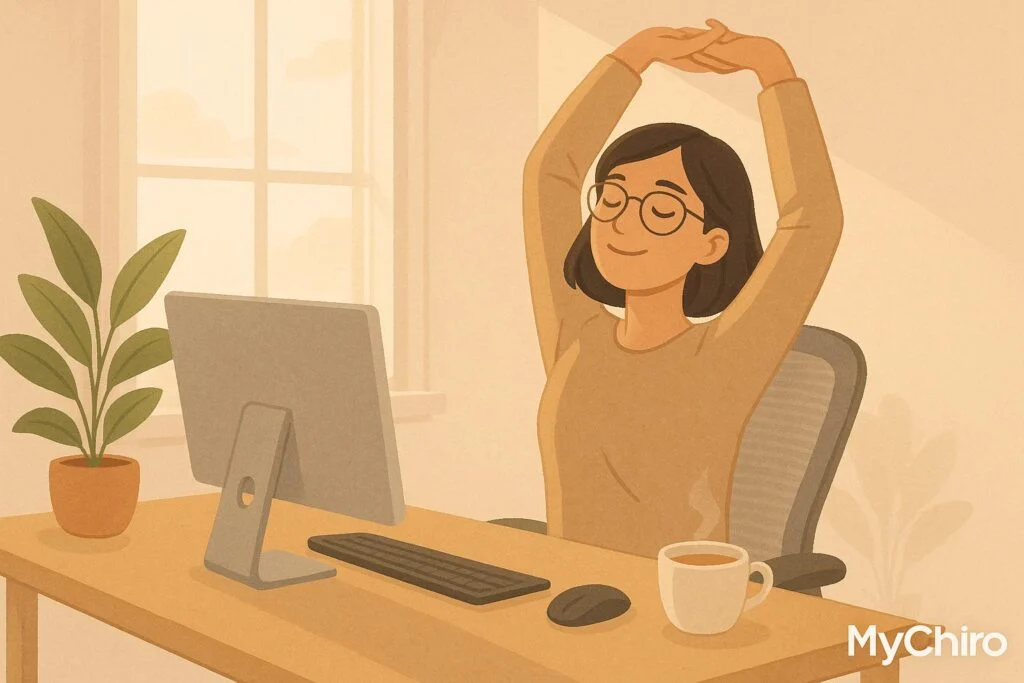
Short breaks can provide a useful chance to change position, pause a task or notice what feels comfortable. They are not a guaranteed way to prevent pain or improve productivity, and no single schedule suits every job or person.
- Physical comfort: A change of position or manageable movement may feel useful when you notice muscle tension. Breaks do not guarantee pain prevention.
- Stress and fatigue: A pause may help you recover from a task, but it should not be presented as regulating hormones or treating anxiety or depression.
- Work performance: The effect of breaks varies with the task and circumstances; improved productivity is not assured.
A comfortable work setup and manageable activity may help with your day. Persistent symptoms deserve assessment rather than an assumption that you need a deeper intervention. Whether chiropractic care or another service is appropriate depends on your symptoms and examination.
Work Breaks, Stress and Comfort
Choosing When to Pause
There is no universal best time to take a break. Consider the task, fatigue, comfort and practical opportunities to pause safely.
Choose a break that fits the task and your needs, rather than treating one schedule as a prescription.
A change of task, a brief movement break or a longer rest may suit different situations. Discuss practical options with your workplace when needed.
A short pause may be enough for a change of position, while demanding tasks may call for a longer rest. A study result from school testing cannot establish the ideal work-break duration for every adult.
The purpose of a break should be clear and manageable:
Use the pause for something that helps you rest or change activity, without adding another performance target.
If headaches, eye strain or back pain persist, arrange appropriate assessment. A break routine does not establish their cause or replace care.
Changing Position for Comfort
Long periods in one position can feel uncomfortable. Changing position may be useful, but discomfort does not automatically mean muscles are weakening or an injury is developing.
Work-related musculoskeletal problems are important, but broad absence statistics cannot show that a particular break schedule would prevent them.
Movement can be part of a healthy workday. A short break should not be promoted as a guaranteed way to change body measurements, blood glucose or pain.
Vary your position or task when practical and choose movement that feels manageable. Rather than aiming for perfect posture, explore comfortable options. You do not need to buy a sit-stand desk to take a break.
Small Movements to Consider
Examples to Adapt
You do not need a full exercise session for every break. A short walk or a comfortable change of position may be enough, without assuming you need to correct tight hip flexors or a compressed spine.
Neck and shoulder movement may suit some people, but it should remain comfortable. Stop with sharp pain, dizziness or new neurological symptoms.
Mobility exercises are optional. A gentle movement within a comfortable range may be useful, but no particular twist is required to maintain spinal curves or prevent stiffness.
Exercises for core and back muscles should suit your health, ability and goals. Planks, bridges or rows are not required for everyone, and a concern about forward head posture does not by itself establish weakness or damage.
Choose safe, stable support and activity that suits the setting. A brief walk or change of task may be more practical than an exercise routine at the desk. No specialised equipment is necessary for a movement break.
| Movement Type | Specific Exercise | What to Consider |
|---|---|---|
| Neck Movement and Stretching Devices | Gentle movement within a comfortable range | A neck-stretching device is not required; ask for advice about suitability |
| Shoulder Mobility | Shoulder rolls backward | Keep movement comfortable; do not force painful shoulders |
| Spinal Movement | Seated torso twists | Use a comfortable range; twisting is optional |
| Core Strength | Planks | Suitability and load depend on individual ability |
| Hip Flexibility | Iliopsoas stretch | Avoid forcing the range or stretching into pain |
| Chest Opening | Doorway stretch | A stretch does not guarantee correction of head posture |
These are examples rather than a programme for everyone. If movement causes new or worsening symptoms, stop and seek advice. You can take a break without exercising.
Research on Small Movements
A 2025 Cochrane review of nine studies involving 626 workers found insufficient reliable evidence to determine how different work-break schedules prevent musculoskeletal symptoms. One finding suggested possible back-pain benefit, but the evidence was very uncertain. A claim of a predictable 72% pain reduction would overstate what can be expected.
A 2022 review of micro-break research found small improvements in reported energy and fatigue, without a clear overall improvement in performance. These findings support a measured approach rather than guarantees of pain relief or productivity.
Moving during a break does not need an explanation about flushing waste products out of muscles. The practical aim is a manageable change of activity or position.
Use your own comfort and the task as a guide:
A repeated position may feel uncomfortable without proving that it has caused injury or chronic pain.
A useful principle is variation:
You can change position or task when practical rather than trying to hold one perfect posture.
Review whether a break routine suits your workday. Persistent discomfort deserves assessment even when you take regular breaks.
Video: Desk Movement Breaks
sbb-itb-585d67d
A Comfortable Workspace Alongside Breaks
A suitable workspace may make the task more comfortable. It does not guarantee relief between breaks or show that persistent symptoms require chiropractic treatment.
Workstation Adjustments to Consider
Adapt the setup to your body, vision and task. There is no single arrangement that prevents pain for everyone.
Chair and posture: Choose support and a seat position that feel comfortable for the task.
Additional back support is an option to try if it improves comfort, rather than a requirement for every chair.
If you try a cushion or other support, review whether it actually helps rather than assuming you need one.
Desk height and arm position: Keep frequently used equipment within comfortable reach and avoid holding the shoulders rigidly.
Monitor placement: Adjust the screen so you can read it comfortably, accounting for your vision, glasses and task.
Keyboard and mouse setup: Choose a layout that allows comfortable use. Equipment size and placement should reflect your task rather than a universal rule.
Adjust the keyboard angle if it helps your wrists feel comfortable. No single accessory or setting suits everyone.
| Ergonomic Element | Options to Try | Practical Purpose |
|---|---|---|
| Chair Height | Comfortable seat height with foot support if needed | Find a position you can use comfortably |
| Desk Height | Equipment within comfortable reach | Reduce unnecessary reaching; no guarantee against carpal tunnel syndrome |
| Monitor Position | A readable height and distance for your vision | Make the screen easier to view |
| Keyboard Placement | A position suited to the task | Allow comfortable use and movement |
Research in Applied Ergonomics and other journals should be interpreted by the equipment, workers and outcomes studied. A broad absence statistic cannot establish how many injuries would have been prevented by changing workstations.
Lighting and environment: Consider glare, readable screen settings and a comfortable noise level. Adapt these to the task and your preferences.
Make one manageable change at a time and review whether it helps with the task.
Assessment for Persistent Discomfort
If discomfort persists or affects daily activity, an individual assessment can help consider possible causes and suitable care. It should not start with the assumption that a deeper spinal problem is present.
At MyChiro in Bondi Junction, you can discuss back pain, neck pain or headaches and concerns about everyday comfort. Advice about posture or the suitability of spinal adjustments should follow assessment, rather than a claim that desk work has disrupted nervous-system function.
Your history, symptoms and relevant examination findings are more informative than a posture measurement alone. An assessment cannot guarantee identification of one root cause.
Individual advice may help you explore suitable work adjustments. A particular desk, support or keyboard is not automatically needed, and its benefit should be reviewed.
Coordinated care may be appropriate when more than one professional is involved. The plan should address identified needs, with clear goals and review points.
Persistent headaches, neck pain or back pain should not automatically be attributed to desk work or stress. New, severe or concerning symptoms may need medical assessment.
New patients can book a free initial consultation at MyChiro. Optional same-day treatment is $125 if clinically appropriate, with no obligation to proceed. Discuss any proposed care, likely benefits, risks, alternatives and fees before deciding.
Comparing Break Options
Different breaks serve different purposes. The table gives examples to adapt, not evidence-based rankings or a prescription for reducing pain.
Break Frequency and Length: A Comparison
Timing and duration depend on your work, symptoms and practical constraints. Current evidence does not establish one break schedule as best for preventing pain.
| Break Method | Example Timing | Example Length | Possible Purpose | Comfort Considerations | Work Considerations | May Suit |
|---|---|---|---|---|---|---|
| Micro-breaks | At a natural pause | A brief pause | A moment away from the task | Change position if comfortable | Benefit varies with the task | Long periods of focused screen work |
| Short active breaks | When practical | A few minutes | An opportunity to move | Choose manageable movement | Fit the pause around task demands | Tasks with limited opportunities to change position |
| Traditional breaks | At suitable points in the workday | Enough time for the intended rest | Time to rest or eat | Choose a comfortable activity | Plan around the job and individual needs | A longer pause between demanding tasks |
| Walking meetings | When suitable for the discussion | Adapt to the task and participants | A change of setting | Consider mobility and comfort needs | Not proven to improve every meeting | Discussions that allow safe walking |
| Standing meetings | Only when suitable for participants | Adapt to comfort and needs | A different meeting format | Standing is not comfortable for everyone | Offer a seated option | Meetings where participants prefer a change of position |
A micro-break can be a brief pause or change of position. Its length does not need to follow a fixed rule, and it should not be promised to provide substantial pain relief.
A short walk, change of task or quiet rest may suit different needs. Evidence does not establish that one frequency or activity will reliably reduce stress and pain for everyone.
Use these options as a starting point, and review what is practical and helpful in your situation.
Adapting Breaks to Your Workplace
For a desk-based role in Bondi Junction, a useful break might be a short walk, a change of task or a comfortable pause between calls. Adapt it to the work and your needs rather than relying on broad cost or sitting-time statistics.
Walking to speak with a colleague may offer a change of activity when appropriate. Standing meetings should be optional and adapted to participants’ mobility and comfort; standing still is not automatically better than sitting.
Hybrid work may offer different opportunities for breaks, but it does not guarantee better mental health. Practical support, workload and individual circumstances also matter.
An adjustable desk is one option, not a requirement. Consider whether a change would help with a specific comfort or task need before spending money.
Tools like calendar alerts or mobile apps can help remind workers to take breaks, but preferences vary. The key is finding methods that fit seamlessly into individual work styles without feeling intrusive.
Workplace support can make it easier to take suitable breaks. Discuss practical arrangements without promising that breaks will always increase productivity or prevent illness.
If neck tension, back pain or headaches persist, seek appropriate assessment. Workstation changes and break routines should not be used to explain away concerning symptoms.
Conclusion
Breaks can be a practical part of a workday, but the benefits vary. An unverified percentage about feeling productive should not be used to promise a health or performance outcome.
Consider brief pauses between tasks and manageable opportunities for movement. These are options to adapt, rather than a fixed timetable that prevents discomfort.
Research suggests small benefits for fatigue and energy from some short breaks. Evidence for preventing musculoskeletal pain is less certain, so useful habits should be discussed without guarantees.
If pain persists or affects everyday life, seek assessment. A chiropractor may discuss selected musculoskeletal complaints and whether care or referral is appropriate.
Consistency is key when it comes to integrating breaks into your routine. Some people rely on calendar reminders, while others naturally pause between tasks. The most important thing is to make movement a regular part of your workday, not an afterthought.
A supportive workplace can help people find manageable ways to rest or change activity. Outcomes depend on individual needs, tasks and circumstances.
Review your setup, routine and any symptoms over time. The purpose is a workable approach to comfort and daily activity, with professional support when needed.
This article is intended for general educational purposes only and does not replace personalised healthcare advice. Please consult a registered health practitioner for tailored recommendations.
FAQs
How often should I take a work break?
There is no single ideal break schedule for everyone. Consider the task, fatigue, comfort and safe opportunities to pause. Breaks may help with how you feel, but they do not guarantee pain prevention or better productivity.
You can use a pause for a comfortable change of position, a short walk or rest. Stop any exercise that causes sharp pain, dizziness or new symptoms.
What ergonomic changes can I make to my workspace to reduce discomfort and improve comfort during breaks?
Adjust your chair, screen and frequently used equipment for comfort. Account for your vision, body and task. You do not need to hold exact joint angles or buy a particular accessory to achieve a perfect posture.
Try manageable changes and review whether they help. Persistent or worsening symptoms need assessment rather than repeated workstation adjustments alone.
What movements could I consider during a break?
Options such as hip bridges, leg swings, shoulder rolls, neck movement or seated mobility exercises are not suitable for everyone. If you try an exercise for flexibility, keep it comfortable and adapt it to your health and ability. A short walk or change of task is also an option.
If you have ongoing symptoms, ask whether exercises such as glute squeezes or wall slides are appropriate rather than treating them as necessary prevention. New weakness or numbness needs medical advice; back pain with new bowel or bladder changes or loss of sensation around the groin needs urgent medical care.